QR Reader for iPhone&iPad Pro4.0.6
Publisher Description


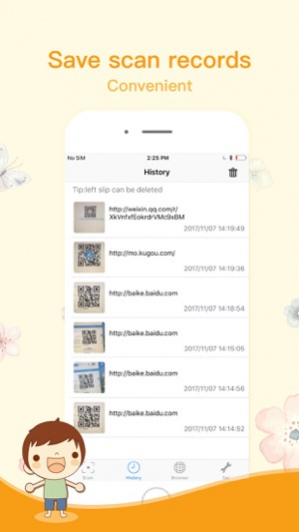
The Best QR Code Reader & Barcode Scanner Free App in the market.
QR Code Reader & Barcode Scanner Free can be use as shopping assistant.
Feature:
- Scan all kinds of QR codes
- Scan product barcodes
- Save your scans in History
- Share codes via SMS, Email, Twitter, and Facebook
- Display QR codes and barcodes on screen
-Jump directly to WEB ADDRESSES decoded.
- Flashlight supported for scanning QR codes or Barcodes at low-light environments.
-SHARE your QR CODES through: Email, SOCIAL NETWORKS (Facebook, Twitter, Clipboard, Google Plus), TEXT MESSAGES.
QR Code Reader , QR Code Scanner & Barcode Scanner app is developed for fast and accurate to be the fastest QR Reader / Barcode Reader/Barcode Scanner out there.
QR Code Reader & Barcode Scanner Free is very essential app for every iOS device who want to know product price and information.
Also includes a complete QR Code Generator
Create your own QR codes for: Email Addresses, Contacts, SMS Messages, URLs, Phone Numbers, Text Notes, Locations,Calendar Events, and More.
Jan 15, 2018 Version 4.0.6
This app has been updated by Apple to display the Apple Watch app icon.
-fix bug;
About QR Reader for iPhone&iPad Pro
The company that develops QR Reader for iPhone&iPad Pro is Weijian Wu. The latest version released by its developer is 4.0.6.
To install QR Reader for iPhone&iPad Pro on your iOS device, just click the green Continue To App button above to start the installation process. The app is listed on our website since 2018-01-15 and was downloaded 17 times. We have already checked if the download link is safe, however for your own protection we recommend that you scan the downloaded app with your antivirus. Your antivirus may detect the QR Reader for iPhone&iPad Pro as malware if the download link is broken.
How to install QR Reader for iPhone&iPad Pro on your iOS device:
- Click on the Continue To App button on our website. This will redirect you to the App Store.
- Once the QR Reader for iPhone&iPad Pro is shown in the iTunes listing of your iOS device, you can start its download and installation. Tap on the GET button to the right of the app to start downloading it.
- If you are not logged-in the iOS appstore app, you'll be prompted for your your Apple ID and/or password.
- After QR Reader for iPhone&iPad Pro is downloaded, you'll see an INSTALL button to the right. Tap on it to start the actual installation of the iOS app.
- Once installation is finished you can tap on the OPEN button to start it. Its icon will also be added to your device home screen.
Program Details
System requirements
Download information
Pricing
Version History
version 4.0.6
posted on 2021-01-16
15 janv. 2018 Version 4.0.6
-fix bug;
version -
posted on 2021-01-14
version 4.0.6
posted on 2018-01-15
Jan 15, 2018 Version 4.0.6
This app has been updated by Apple to display the Apple Watch app icon.
-fix bug;
version 4.0.6
posted on 2018-01-15
Jan 15, 2018 Version 4.0.6
This app has been updated by Apple to use the latest Apple signing certificate.
-fix bug;
version 4.0.6
posted on 2018-01-15
Jan 15, 2018 Version 4.0.6
-fix bug;
version 4.0.6
posted on 2018-01-15
15 Jan 2018 Version 4.0.6
-fix bug;
